

Auto-Review gives special educators a safe space to check their work while they write. In Goalbook Threads and Goalbook Toolkit, a teacher can click Auto-Review and see how a goal or present levels statement measures up against an IEP quality rubric, with a score, a rationale, and suggestions for improvement.
Auto-Review works like having the rubric open beside every teacher while they write, so gaps are caught in the moment instead of after the fact, and educators improve their skill with each use. That gets IEPs right earlier in the drafting phase, meaning fewer compliance concerns and more meaningful coaching opportunities for leaders.
Catch Gaps Early, With One Rubric Across Every School
- Fix gaps before plans are final. Teachers see where a goal or present levels statement falls short while they are still writing, not after a file review. Problems get fixed in the draft, before they reach your desk.
- Measure every plan against the same standard. Auto-Review scores content against a research-based rubric developed by Goalbook, or against your district’s own rubric.* Teachers get consistent feedback whether they write in Goalbook Threads or Goalbook Toolkit.
- Build teacher skill with every revision. Teachers edit, click Auto-Review again, and the score updates right away. Having them implement the feedback and see how the score rises shows them what a stronger IEP looks like, building their knowledge and skill for the next IEP.
- Keep teachers in charge of the plan. AI evaluates the content against the rubric, then the teacher reviews, edits, and decides how to apply the feedback.
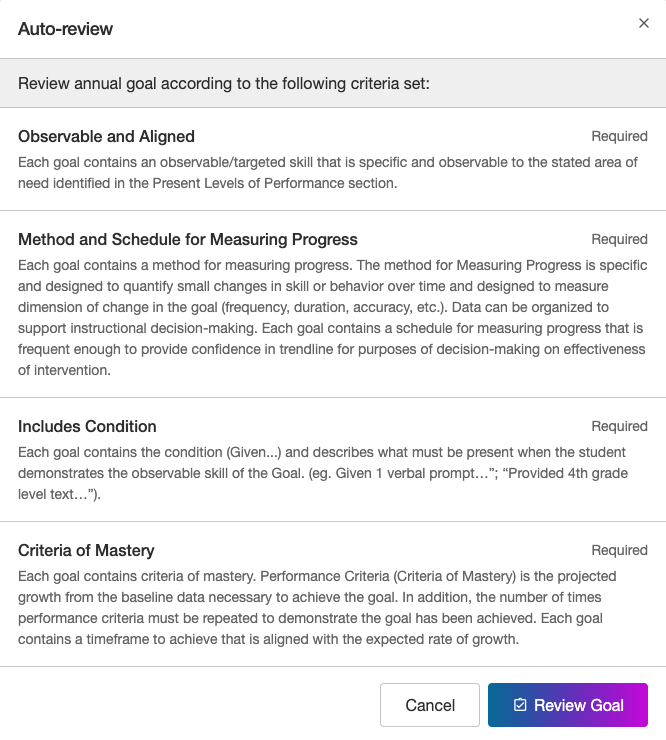
Every goal is scored against the same rubric criteria
Goalbook Threads is the AI-assisted Goalbook Toolkit workflow educators use to build IEP content, from present levels to goals to specially designed instruction (SDI). Auto-Review scores present levels, goals, and Impact of Disability statements. It does not evaluate SDI.
Teachers Strengthen an IEP Draft in Four Steps
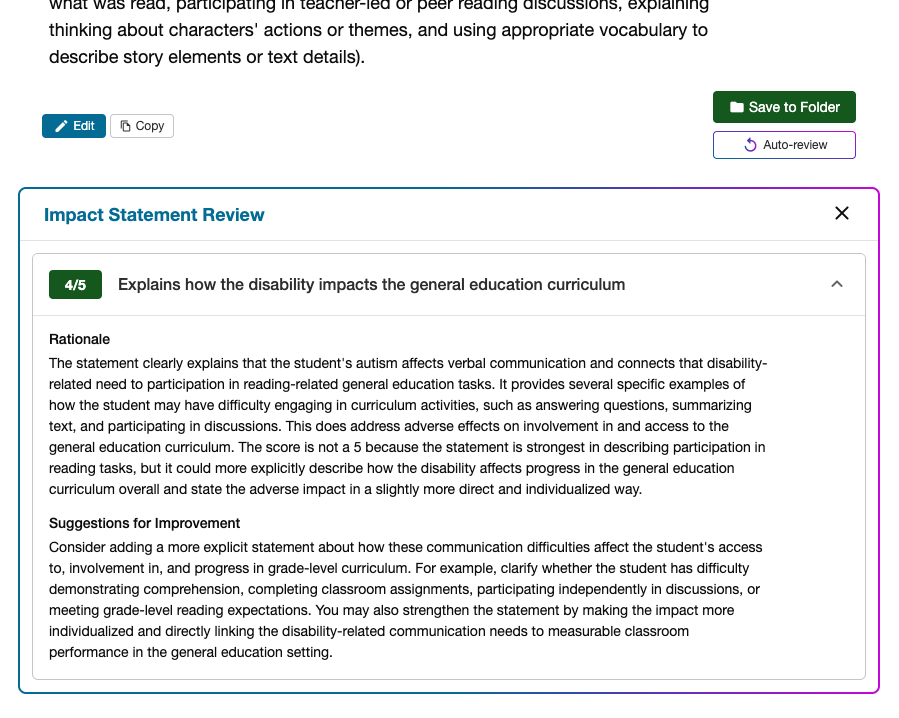
- Draft: Develop an IEP in Goalbook Threads, or open a goal, present levels, or Impact of Disability statement in Goalbook Toolkit.
- Run Auto-Review: Click the Auto-review button. Districts can also make it a required step in Goalbook Threads, so every plan gets quality feedback before it moves forward.
- Read the feedback: Each area on the rubric gets a score from 1 to 5, along with a rationale and suggestions for improvement.
- Revise and re-run: Edit the content, click Auto-review again, and watch the score update right away.
Teachers See a Score, a Reason, and a Next Step
- A score for each rubric area. Scores run from 1 to 5 and are color-coded: 4–5 green, 3 yellow, and 1–2 red, so teachers can read results at a glance.
- A rationale. A short explanation of why the content earned its score.
- Suggestions for improvement. Specific ideas for strengthening the goal or statement.
- Coverage across the IEP. Teachers can review one step at a time, or review an entire Thread in one pass.
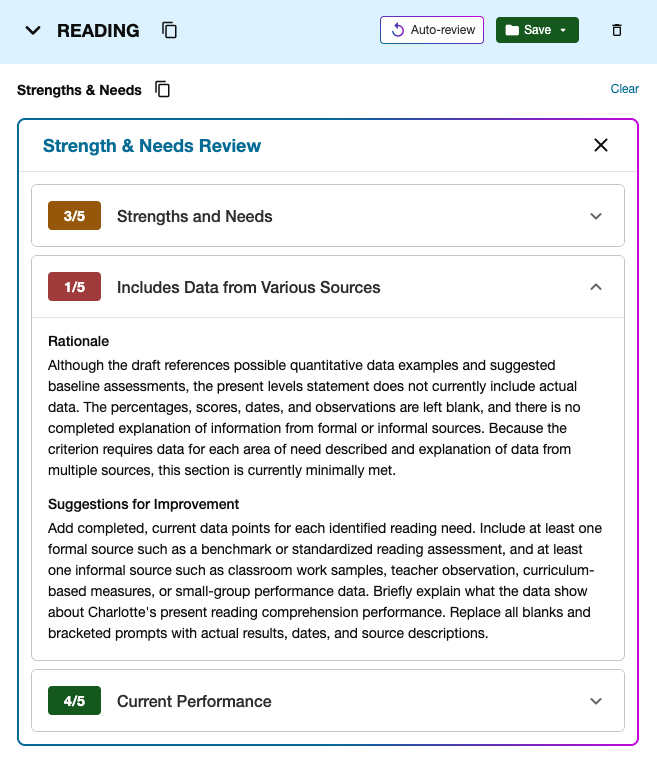
Auto-Review scores for three present levels criteria, with one expanded to show its rationale
Leaders benefit, too. Auto-Review scores from Goalbook Threads are connected to the Goalbook Analytics Dashboard, a leader view in Goalbook Toolkit that shows IEP quality while plans are still being written, by school, by teacher, or by Thread.
Use Auto-Review in Your Next Coaching Conversation
Instructional coaches and leaders can use Auto-Review in a coaching conversation with a teacher:
- Let the teacher read the score and examples first. The feedback comes from the rubric, not from you, so the conversation starts from shared evidence.
- Pick one flagged area to strengthen together, and make the edit live.
- Re-run Auto-Review so the teacher sees the score move. That’s the win to celebrate and discuss.

Let the teacher read the score first, then pick one area to strengthen together
Start Using Auto-Review in Goalbook Toolkit Today
Auto-Review is available now for all partners. Sign in to Goalbook Toolkit and click Auto-Review on a goal, present levels, or Impact of Disability statement, or on a plan in Goalbook Threads. To score against your district’s own rubric, talk with your Goalbook Customer Success Manager. All Customer Success Managers at Goalbook are former special educators who can help you plan how teachers and coaches use the feedback.
Goalbook builds special educators’ skill, from the IEP to the instruction that follows.
Don’t have Goalbook yet? Learn more!
*Auto-Review can be customized to a district’s rubric upon request.
